Dagster+ AI Agent
This feature is in preview phase and is available in Dagster+ in limited early access. Functionality and APIs may change as we continue development. To get early access to this feature, reach out to your Dagster account team. For more information, see the API lifecycle stages documentation.
The Dagster+ AI Agent, powered by Compass, analyzes run logs, identifies root causes of failures, suggests debugging steps, and lets you ask follow-up questions in a conversational chat interface. You can start a conversation with Dagster+ AI from the homepage, or from any completed run.
Generate a summary for a run or degraded asset
Activate Dagster+ AI by clicking the Summarize with AI button on the runs list, a run detail page, or on the Asset Health section of the Home page.
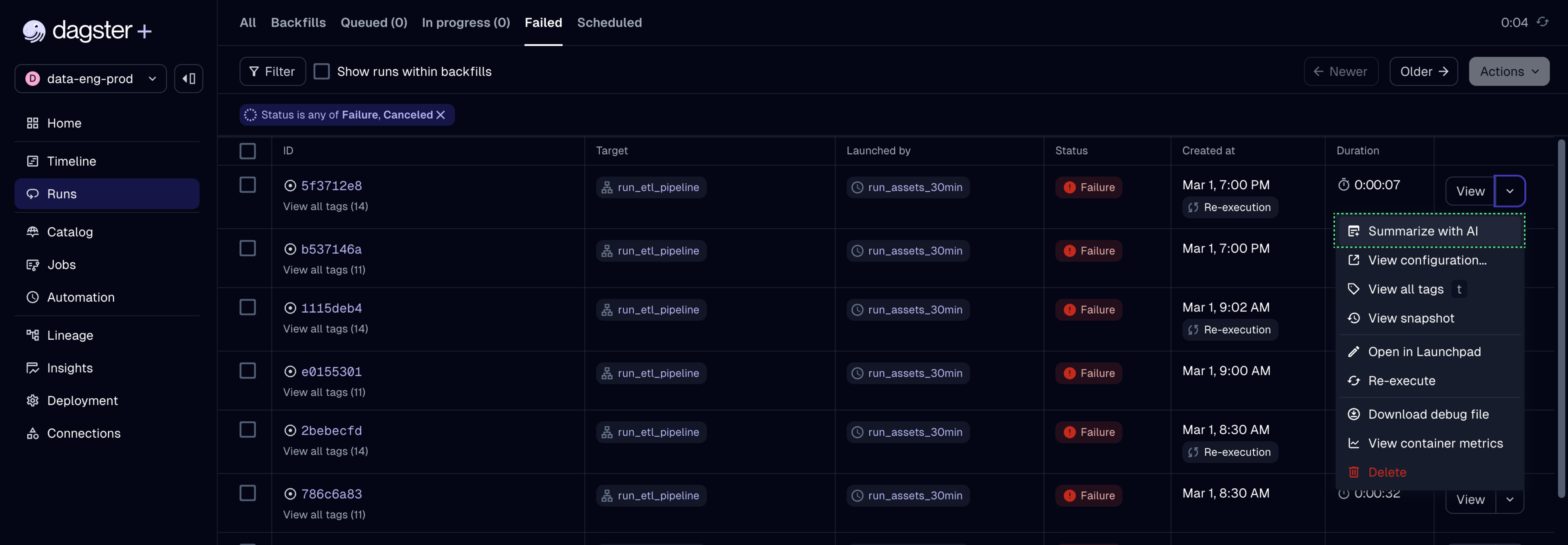
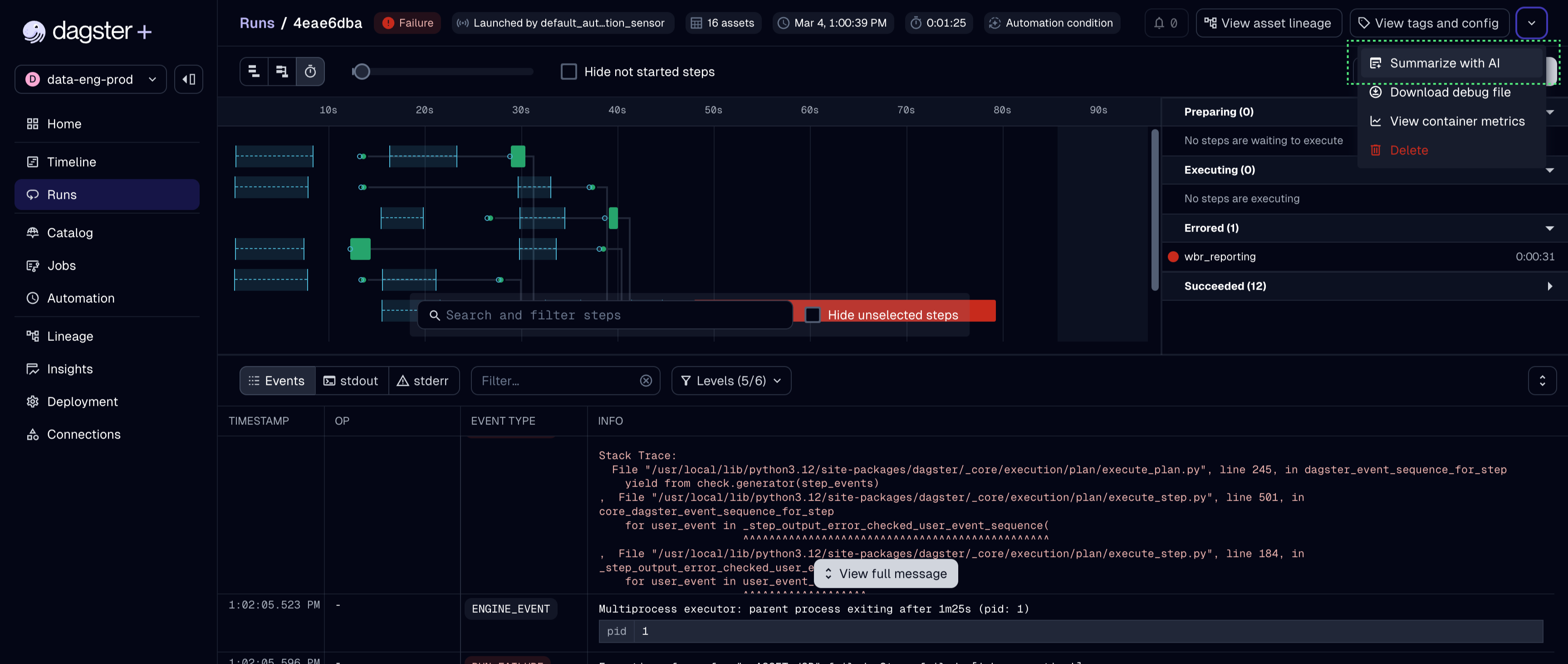
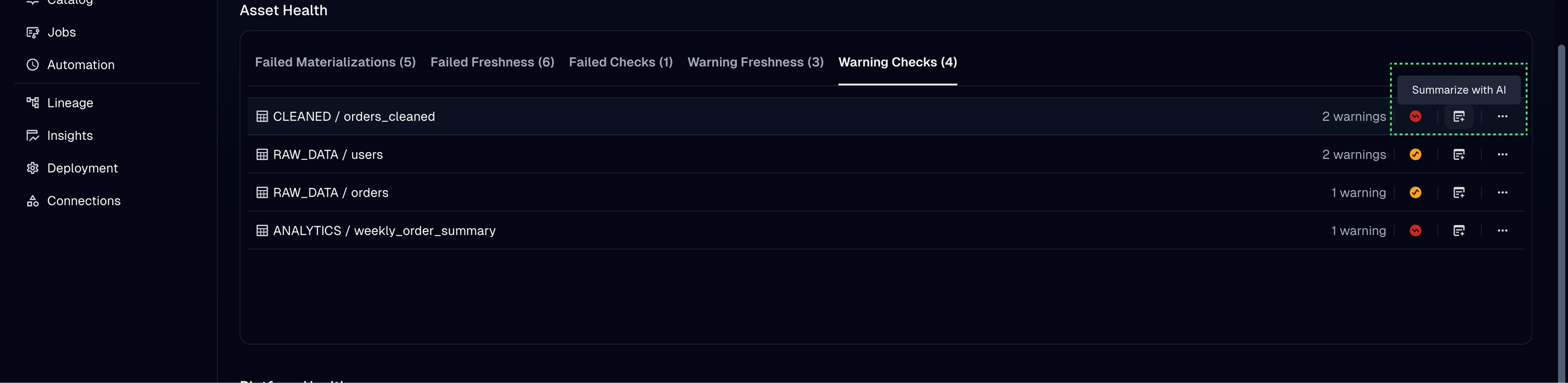
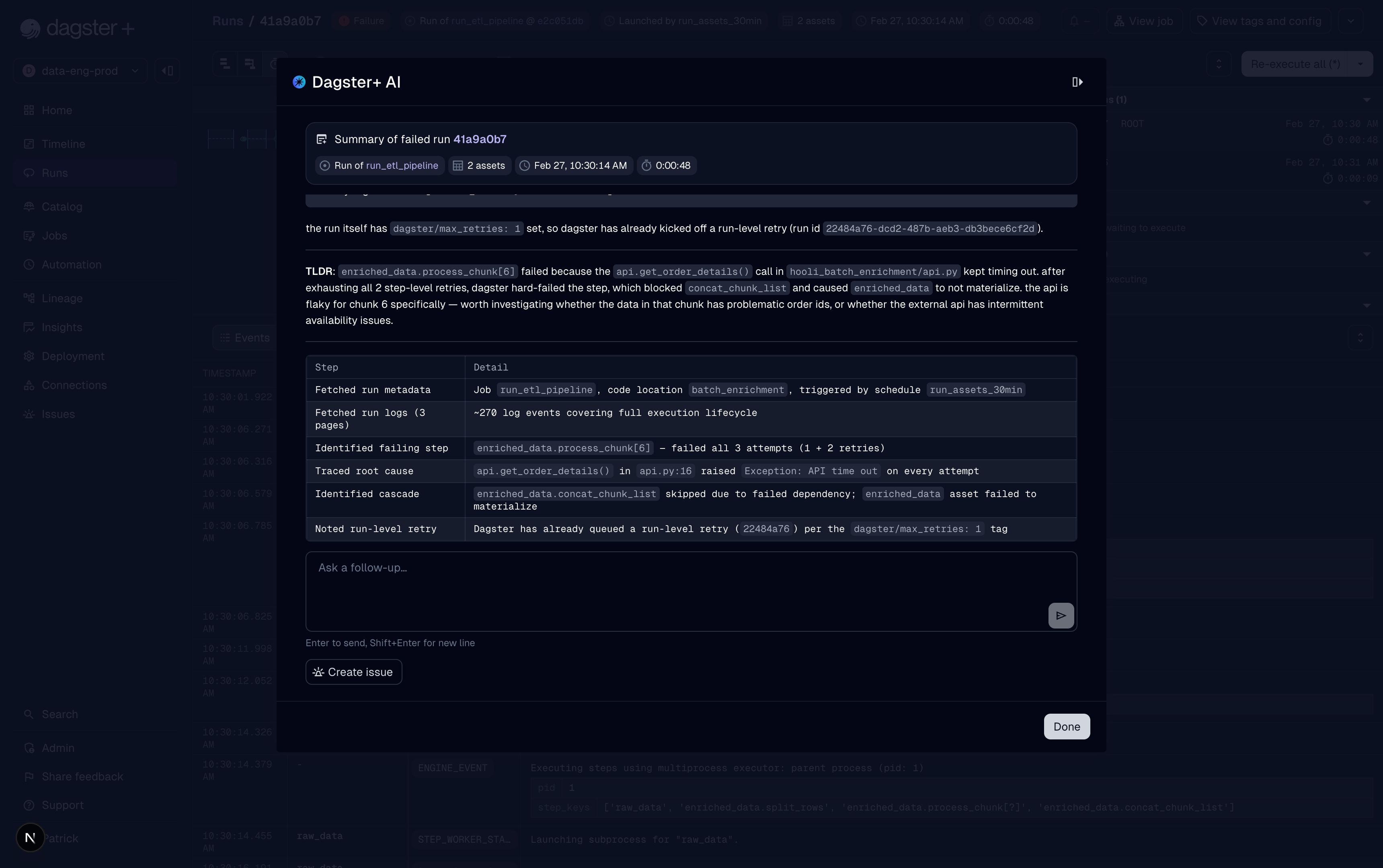
Dagster+ AI opens as a side panel and begins streaming results. It searches run logs and other artifacts to gather context, then returns a summary of the steps, root causes, and debugging steps.
The Summarize with AI option is only available for completed runs and will be disabled while a run is in progress.
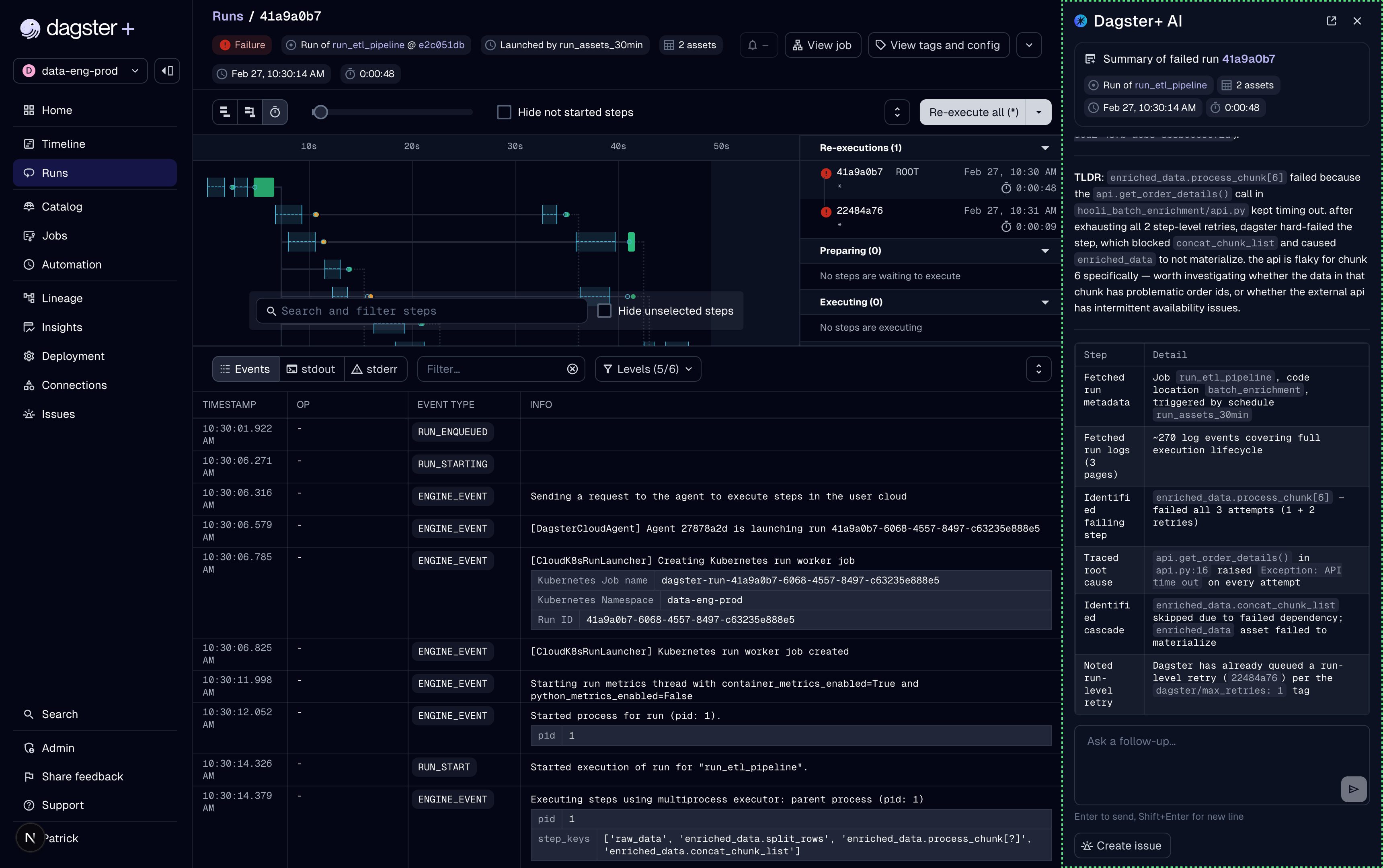
Follow up in a conversation
After the initial summary loads, you can follow up with additional exploratory questions, such as:
- Which other jobs have failed with the same error in the last day?
- What changes could I make to my pipeline to prevent this problem in the future?
- Are there any patterns you can find about this asset's failures in the past month?
Conversation history is stored separately per user.
Panel and dialog modes
By default, AI chats appear in a panel docked to the right edge of the page. You can toggle between this panel view and a full-screen dialog using the display mode icon in the upper-right corner of the chat interface.
Limitations during early access
Dagster+ AI is under active development, and has several known limitations that will be addressed before this feature becomes generally available.
- Dagster+ AI does not currently enforce role-based access control. Users who do not have viewer access to certain deployments are able to ask about runs or take actions they normally wouldn't have permissions for.